-
 Whether you're a professional or an everyday musician,we have a solution that adds up to serious fun.
 -
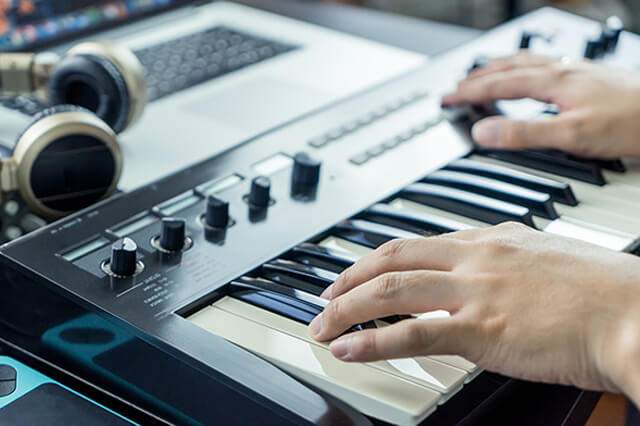
 Create sheet music with your MIDI instrument, mouse, or computer keyboard.
 -
 Create the best notation scores from MIDI files.
 -
 Focus on making music instead of drawing notation.Create music from scratch.
 -
 Convert music (MIDI) files into sheet musicyou can see, hear, and play along with.
 -
 OUR MISSION?To aid everyday musicians in their enjoyment, performance and creation of music.
Try notation composer or musician
Our core competences are
Download the FREE trial version of our music writing software.
IMPORTANT:
system requirements
for Microsoft Windows just download a trial version from one of the buttons below and install it.
for Mac the free software of Wine is required. Please see details here,
for Ubuntu see here.
Compare notation composer and musician
Use the chart below to see the benefits of each.| Features and Benefits | composer | musician | player | |
|---|---|---|---|---|
 |
Import MIDI files, turn them into brilliant sheet music, and export for performance. |   |
|
|

|
Learn to read notation by seeing the notes as they play. | |
|
|
|
BandMates - Support of live performances on stage and practice | |
|
|
|
Set up practice sessions and play along with "the band". | |
|
|
|
Prepare "specialty" parts such as sing-along karaoke parts, fakebook lead sheets, chord charts, and more. | |
|
|
|
Add lyrics, symbols, free text, and more to the sheet music. | |
|
|
|
Format the sheet music, print the entire score, and print individual parts. | |
|
|
|
RealTime | |
|
|
|
VST support
|

|
VST is a registered
trademark of Steinberg Media Technologies GmbH |
|
|
|
|
Configurable:
Integrated ASIO compatible driver |

|
ASIO is a registered
trademark of Steinberg Media Technologies GmbH |
|
|
|
|
Language Support | |
|
|
|
Notation Software Synth | |
|
|
|
Playlists | |
|
|
|
Compose and arrange music notation | |
|
|
|
Record music with MIDI instruments and get instant sheet music for your song | |
|
|
|
Fine-tune the sound of any note simply by drawing on the score with your mouse | |
|
|
|
Audio Export | |
|
|
|
Soundfonts | |
|
|
|
MusicXML Import, Export | |
|
|
|
Auto-accompaniment with Band-in-a-Box® Plugin | |
|
|
|
High Resolution PDF and Image Export | |
|
|
|
Windows, macOS, Chromebook, Linux Support (please see details) | |
|
|
| Show All Details |
Hide All Details |
|||
|---|---|---|---|---|
Home Musicians
notation musician and notation composer create the best notation scores from MIDI files. You can play along with "the band" at your convenience.
With notation composer, you can also customize the sheet music to add your own special flavor to a song.

Performing Musicians
With notation musician you can print sheet music for yourself and print parts for members of your vocal or instrumental group.
notation composer adds the ability to rearrange the music and have complete control over the sound of every note.


Song Writers and Composers
Use notation composer to create music from scratch, so you can focus on making music instead of drawing notation.
You can create sheet music with your MIDI instrument, mouse, or computer keyboard. Editing notation is a breeze, too.